

How-To Guide › Library, decisions and monitoring
Library: saved answers and downloads
Every answer is saved. Share one with your team, download it, or reopen it any time.
Who it's for
Everyone.
What you need first
Nothing: you can start now.
Screenshots use demo data and fictional companies.
Steps
Open Library. Mine lists your answers; Shared by the team lists answers teammates chose to share.
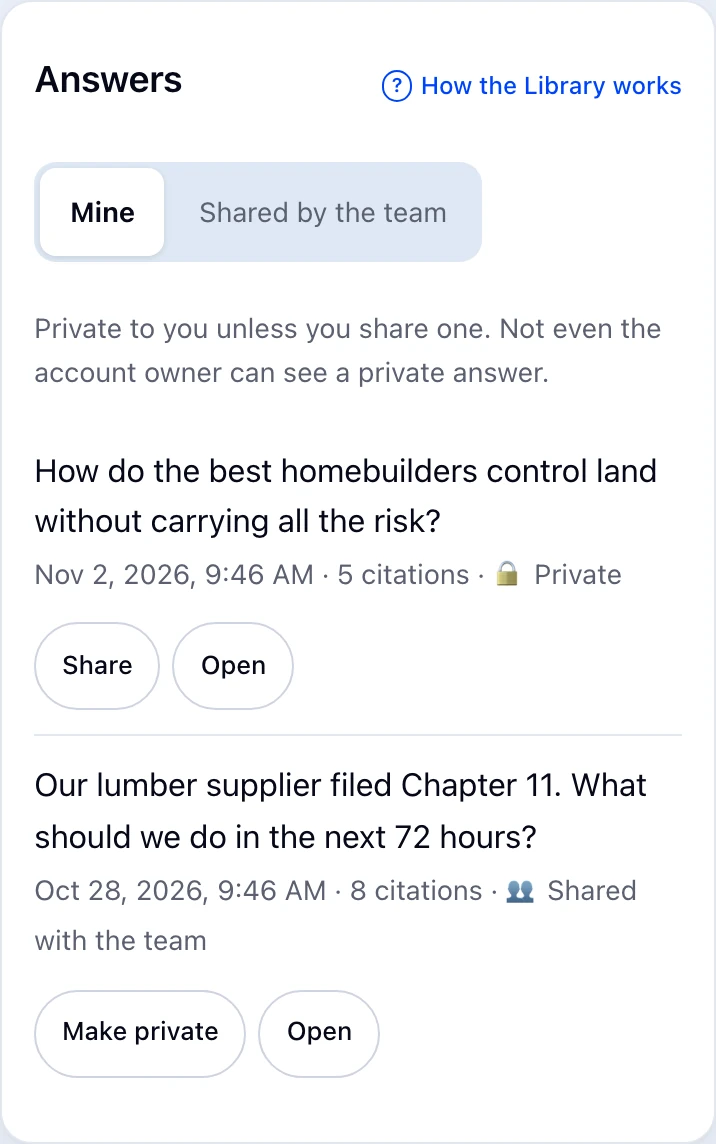
Choose Open to reread an answer and keep going from it. Share or Make private changes who sees it.
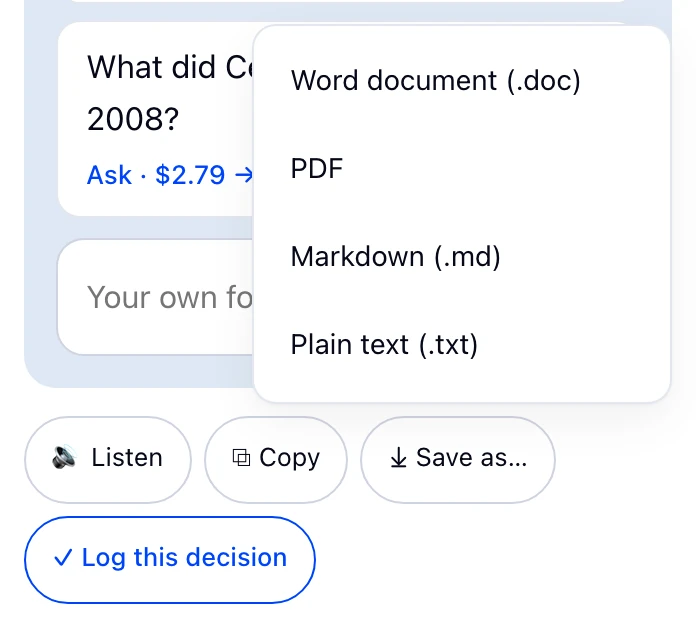
Under any answer, Save as… downloads it as Word (.doc), PDF, Markdown or plain text, with numbered sources. Copy copies it with sources; Listen reads it aloud.
What happens next
Your documents (files you attached) are listed under the answers. Only you can see them, and they're deleted automatically after 7 days.
Common problems
- PDF won't save
- Allow pop-ups for enemo.ai: PDF uses your browser's print dialog.
- Something shared looks wrong
- Use Report next to a shared answer to tell EnemoAi staff.