

How-To Guide › Prices, wallet and free month
Top up the wallet, and the daily cap
The company shares one wallet. The owner adds funds by card or bank (ACH) through Stripe.
Who it's for
Owners add funds; everyone can see the balance and their own charges.
What you need first
- Owner role to add funds.
Screenshots use demo data and fictional companies.
Steps
Open Wallet from the menu.
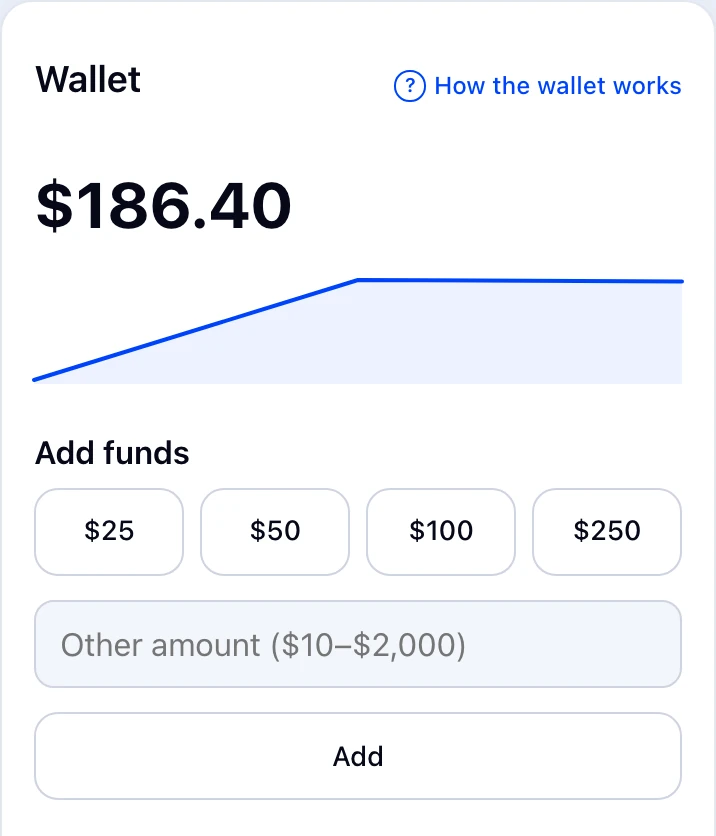
Choose $25, $50, $100 or $250, or type another amount between $10 and $2,000, then pay with Stripe (card or bank).
Back in EnemoAi, your balance updates when Stripe confirms the payment. Bank payments can take a few days.
What happens next
History shows top-ups and charges. The owner and admins see who ran each charge, never what was asked; members see their own charges.
Common problems
- Daily cap
- Up to $2,000 a day can be added for each business.
- Asked to sign in again
- Top-ups above $500 need a recent WorkPair sign-in.
- I can't add funds
- Only the owner can. Members ask from the shared wallet, within any per-question limit.
- Top-ups are paused
- Your business is on hold through WorkPair.