

How-To Guide › Security, data and legal
Close your account, and refunds
The owner can close the business's account; unused credit goes back to where it came from.
Who it's for
The owner.
What you need first
- A recent WorkPair sign-in (you'll be asked).
Screenshots use demo data and fictional companies.
Steps
Consider downloading your data first (see Download your data).
Open Account → Close your business's account. That group starts closed: open it with its arrow. Then choose Close the account.
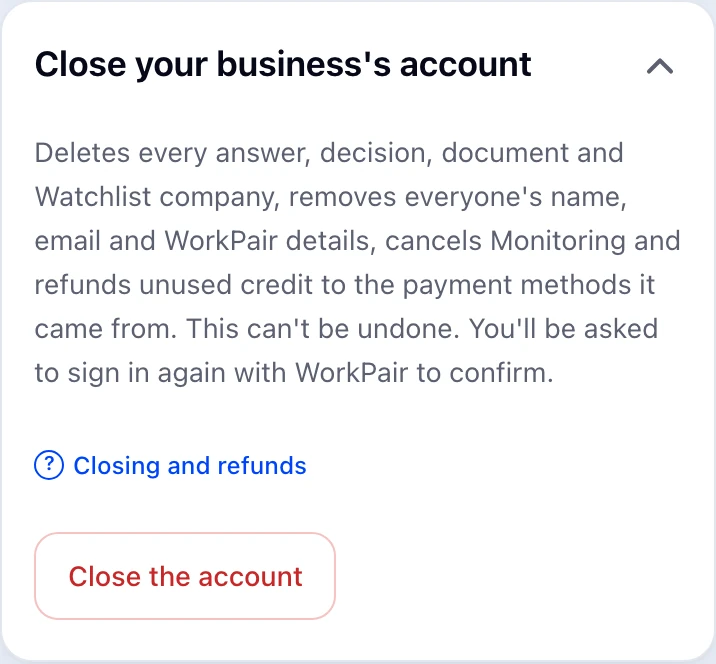
Confirm with WorkPair if asked, then type CLOSE.
What happens next
Every answer, decision, document and Watchlist company is deleted; everyone's name, email and WorkPair details are removed; Monitoring is cancelled. Unused purchased credit is refunded to the payment methods it came from, newest first; anything that can't be refunded automatically is handled by EnemoAi staff. Free-month value isn't refunded. You get a confirmation email. This can't be undone. What's kept: wallet and billing records for at least 7 years, legal acceptance records for 4 years, the closed business's name and owner contact for 120 days (longer while a refund is owed), and the security log permanently, which never holds question content. Backups clear within 30 days. The Privacy Policy, Section 9, has the full list.
Common problems
- I'm not the owner
- Only the owner can close the account. Hand over ownership first if needed.
- I'm a team member and want my own information deleted
- Email hello@enemo.ai with the subject “Privacy request” from your account's email address. We remove your name, email, WorkPair details and photo, and reply within 45 days (one month where the GDPR applies). Your business keeps the answers it owns; ask us if you want those deleted too.