

How-To Guide › Your business and team
Company profile comes from WorkPair, and holds
Your company's details come from its WorkPair account, read-only in EnemoAi.
Who it's for
Everyone; the owner fixes anything on WorkPair.
What you need first
Nothing: you can start now.
Screenshots use demo data and fictional companies.
Steps
Open Account → Company profile. That group starts closed: open it with its arrow. You see the legal name, standing (active and verified), WorkPair organization ID and the profile WorkPair holds.
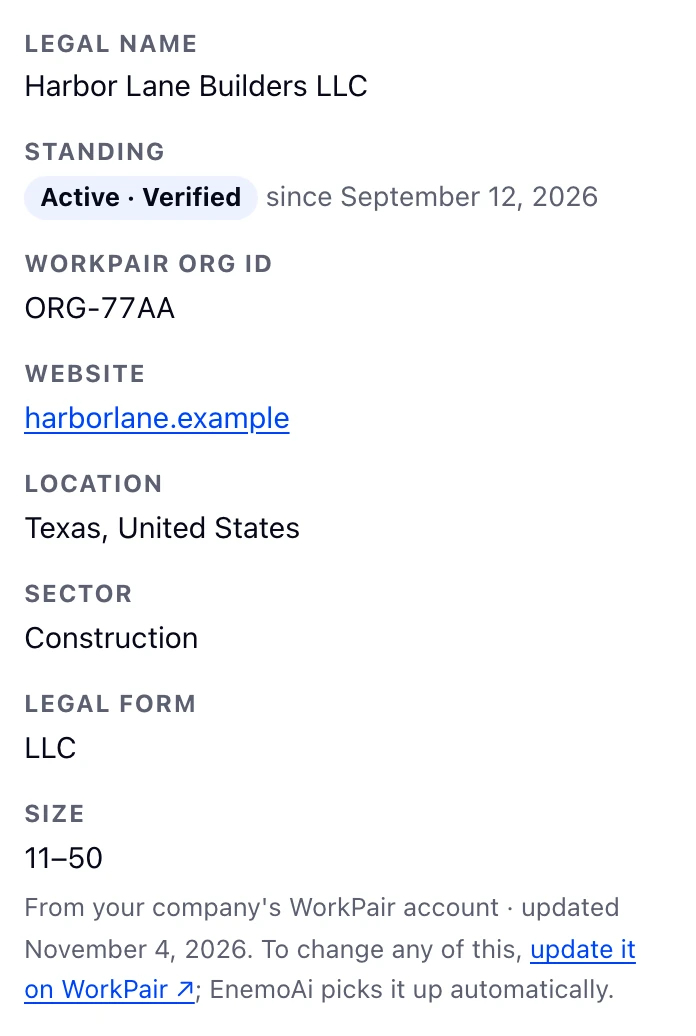
To change anything, choose update it on WorkPair; EnemoAi picks the change up automatically.
When your business is on hold
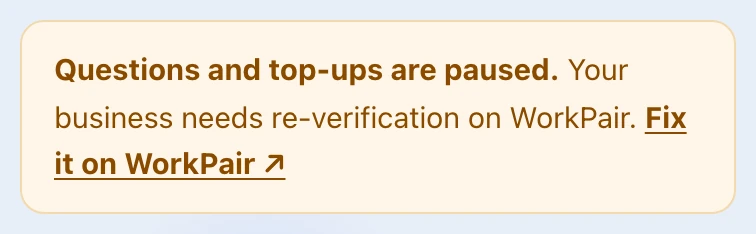
If WorkPair shows your business isn't active or needs re-verification, EnemoAi pauses questions and top-ups. Reading answers, the Library and the data download stay open.
The owner sees Fix it on WorkPair. The hold lifts by itself once WorkPair shows the business active and verified again.
Common problems
- WorkPair couldn't be reached
- The profile shows what WorkPair said last, and when.